Hybrid Identity Bridge: From Setup to Actionable Analysis in Minutes
Cloud identity sync, automatic hybrid domain detection, and secure on-prem connectivity. Zero firewall changes.
Your security team just bought a cloud identity tool. Now they need data from your on-prem AD. The network team says "open a firewall rule." Your CISO says absolutely not. Sound familiar?
We built GraphnAI because this conversation happens at every hybrid org we talk to. The cloud wants data. The network says no, and the project stalls for six months while everyone argues about VPN tunnels and jump boxes.
Here's what actually happens when you deploy GraphnAI. From first login to actionable identity data in minutes. Not days. Not weeks.
Setup Wizard
Open your browser. Enter your admin email. Authenticate with a Microsoft device code. The platform auto-provisions an Entra ID App Registration, generates certificates, and configures authentication. No manual Azure Portal setup. No config files. You go from "I just got access" to "I have a working deployment" in a single sitting.
Cloud Identity (Entra ID)
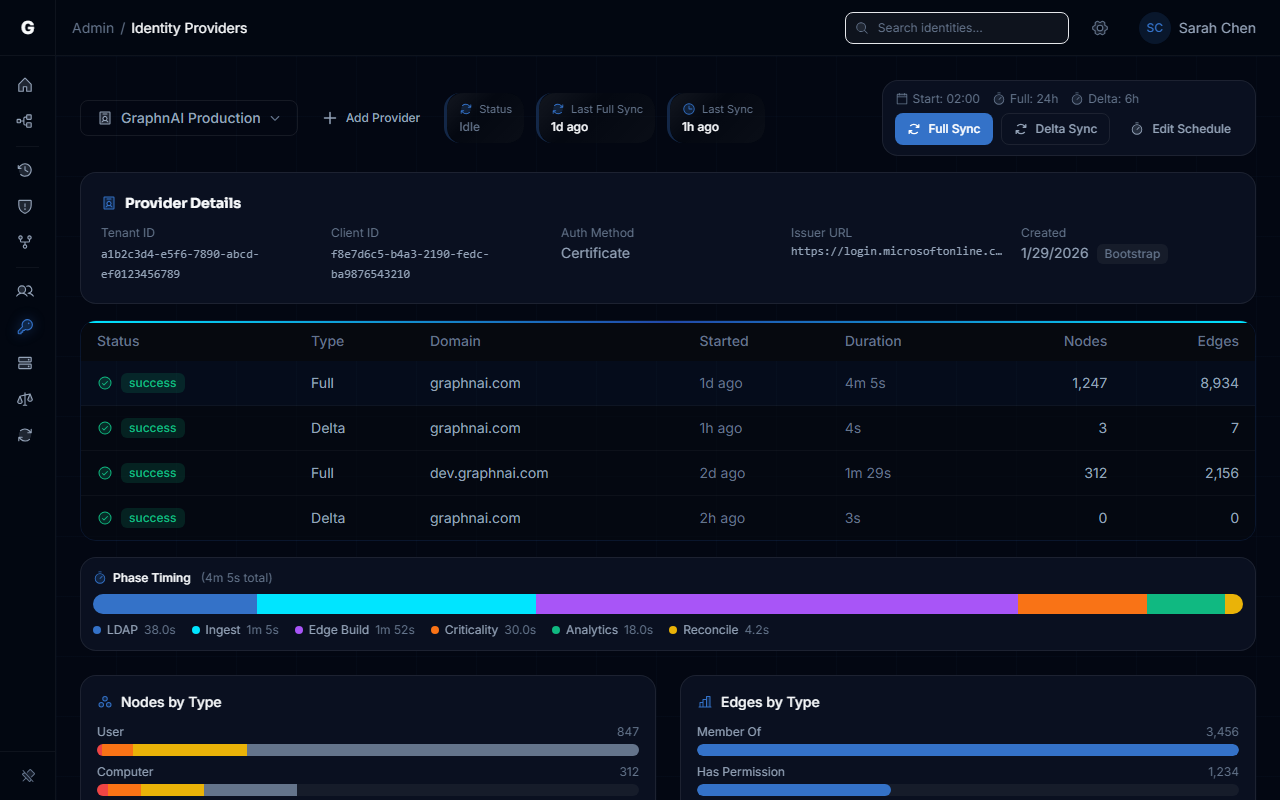
The Setup Wizard's last step automatically triggers your first Entra ID sync. This runs server-side. No agent to deploy. Users, groups, roles, and OAuth2 grants flow straight from Microsoft Graph into your identity graph. Within minutes of completing setup, you have actionable cloud identity data.
Hybrid Domain Detection
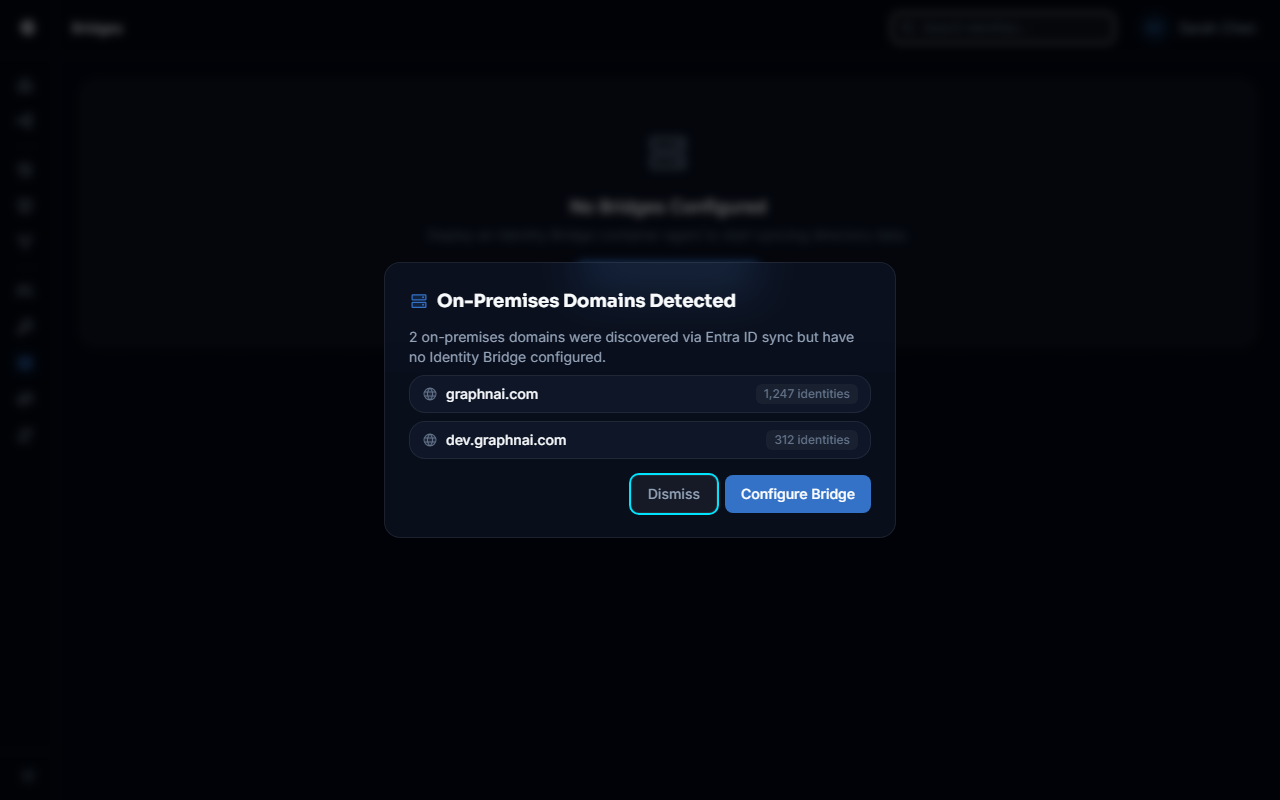
During that first Entra ID sync, the platform automatically detects hybrid-joined on-prem domains. It finds them in your tenant data and prompts you: "On-Premises Domains Detected. Configure an Identity Bridge to collect AD permissions and group memberships." One click to start.
The Bridge (On-Prem)
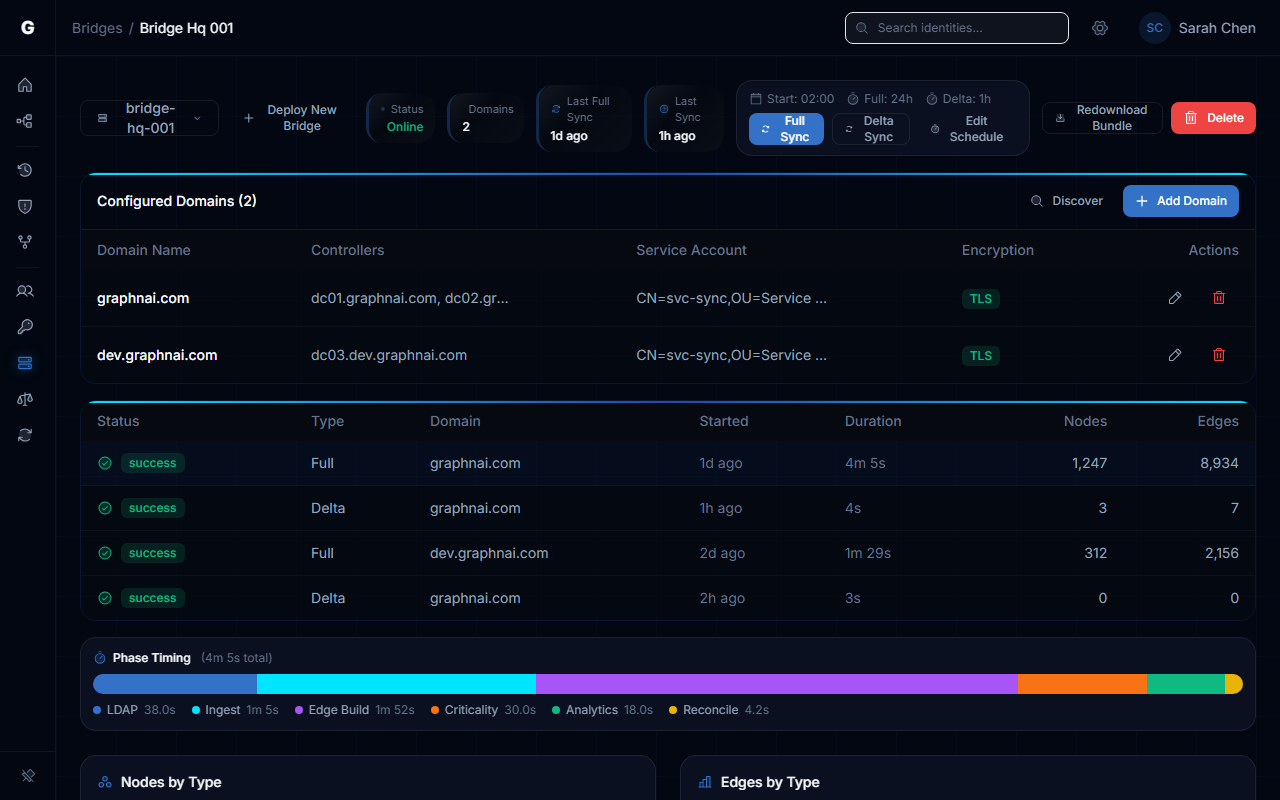
For the on-prem domains detected above, deploy a lightweight containerized agent. It reaches out to us. Not the other way around. Outbound WebSocket, encrypted with mTLS. No inbound ports. No VPN. Takes about 10 minutes to deploy.
The Bridge collects everything you need from Active Directory. Users, groups, computers, GPOs, the full ACL security descriptors. It streams that data through the encrypted tunnel and into your graph. Delta sync means after the first full pull, you're only getting changes. USN-based, so you're not hammering your domain controllers every hour.
Domain Discovery
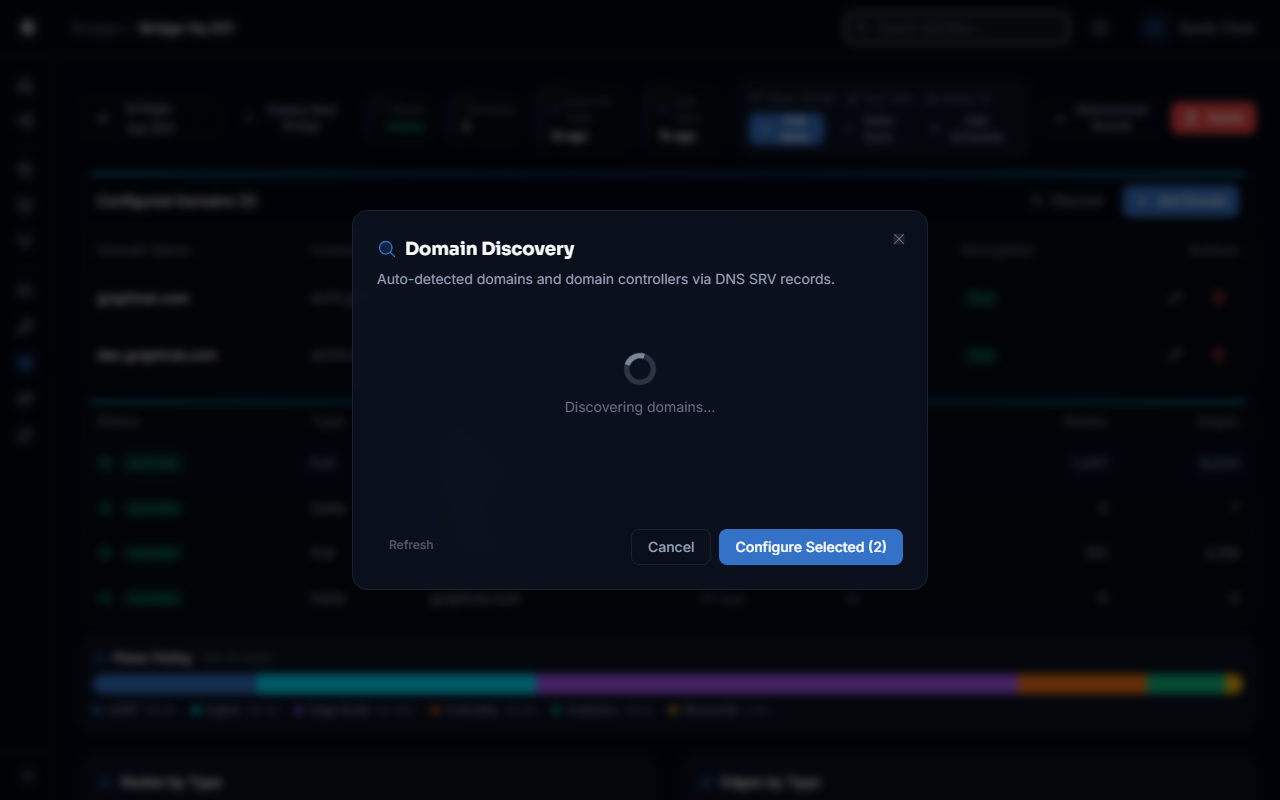
Once the Bridge is running, it can auto-discover additional forests and domains beyond the hybrid-joined ones detected from Entra ID. It finds domain controllers, checks LDAPS capability, and presents what it found. No manual DNS spelunking. Click to configure, and the discovered domain controllers are pre-populated.
Key Benefits
- Minutes from setup to actionable analysis. Not days. Not weeks.
- Setup wizard auto-provisions Entra ID authentication. No Azure Portal configuration required.
- Your first cloud identity sync runs automatically. Actionable data before you finish your coffee.
- Hybrid on-prem domains detected automatically during Entra ID sync. The platform tells you what to configure next.
- Your network team will approve the Bridge. Outbound-only. Zero inbound firewall rules.
- mTLS certificates auto-provisioned. No manual PKI wrangling.
- Post-deployment domain discovery finds additional forests and domains beyond the hybrid-joined ones.
Full setup walkthrough in the Identity Bridge guide.